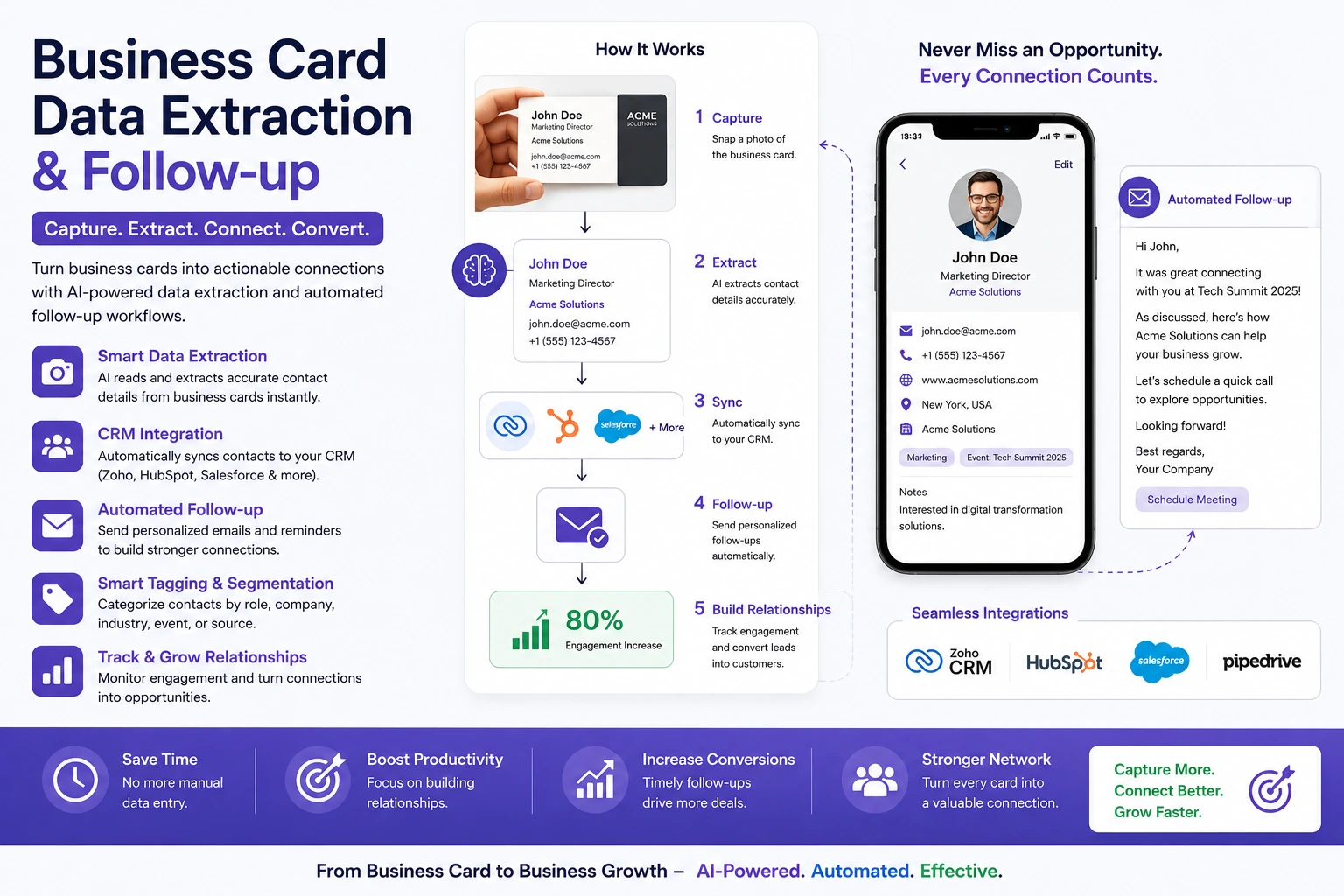
Business Card Data Extraction & Follow-up
Automated business card processing and lead follow-ups using AI, eliminating manual data entry and ensuring every lead receives timely engagement.
Overview
The client received a large number of business cards through email after events, meetings, and networking activities. Manually extracting contact details, organizing records, and managing follow-ups was time-consuming and often led to missed opportunities, duplicate entries, and inconsistent lead tracking.
```The Problem
Teams spent hours manually processing business card information and updating spreadsheets. Without a structured workflow, leads were frequently duplicated, follow-ups were delayed, and there was no centralized system to track lead status and engagement progress.
- Manual business card data entry
- Duplicate and inconsistent contact records
- Missed or delayed follow-ups
- No centralized lead tracking process
- Several hours lost daily on administrative work
The Solution
We built an AI-powered automation pipeline using n8n, Python, OpenAI Vision, Gmail API, and Google Sheets. The system automatically reads incoming business card images, extracts contact information, performs duplicate checks, stores records in Google Sheets, schedules follow-up emails during business hours, and continuously updates lead status throughout the engagement process.
- Automated business card data extraction
- OpenAI Vision-powered OCR processing
- Duplicate detection and record validation
- Google Sheets lead management system
- Automated follow-up email sequences
- Real-time lead status tracking
Results
The automation eliminated manual data entry and created a reliable lead management workflow. Every business card was processed automatically, follow-ups were consistently delivered, and teams gained complete visibility into lead status from a single dashboard.
- 3 hours saved per day
- Zero manual data entry
- No missed follow-ups
- Improved lead tracking and visibility
- Centralized contact and status management
WorkFlow
-
Email received (business card)
-
Python extracts card data
-
Add to Google Sheets
-
Add to Google Sheets
-
Send follow-up (business hours)
-
Auto follow-up sequence
-
Update status in sheet
Previous & Next Project
Navigate to another project under AI Agent & Automation.